Understand your business and explain it to your team

Quersen brings analysis together in one place, from files and databases to the presentation, so every area of the company understands the same thing and decides together.

Understand your business

Four tools in one place

From the data to the spreadsheet, everything happens on the same platform and with the same definitions.

Everything on the same desktop

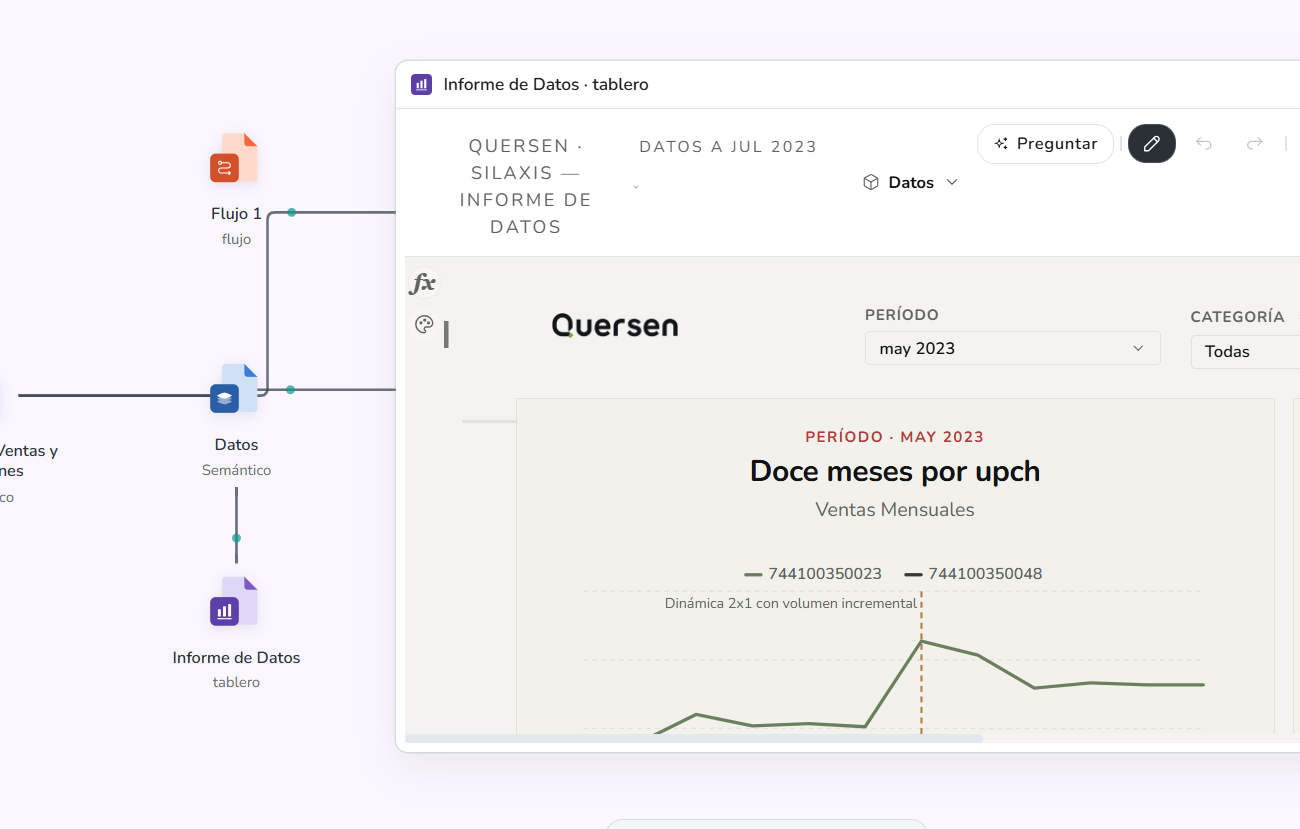
The flows that prepare the data, the Semantic module that defines what each figure means, the dashboards that show them and the spreadsheets live on the same desktop, connected to each other and built on the same definitions.

Quersen desktop: a flow, a Semantic named Datos and a dashboard named Informe de Datos connected to each other, with the dashboard open.

Explain it to your team

An analysis that can be told

A figure on its own explains nothing. Quersen keeps the path that led to it and the context around it, so the team reaches the same conclusion without a meeting.

  • Narrated walkthroughs

    Whoever finds something records it step by step, with an explanation of each view. The team replays it with the latest data, or presents it full screen.

  • Context stays on the chart

    A promotion, a stock-out or an accounting close is noted once and appears on the trend charts for that period, after a manager approves it.

  • The conversation next to the figure

    Comments and mentions live on the chart that prompted them, not in a separate email. They respect the permissions of whoever is looking.

Ask

Ask for a figure the way you would ask a colleague

Just type the question. Quersen interprets it and returns the answer drawn as a chart or table, ready to add to a dashboard, with no need to ask for a query or set anything up first.

  • It shows how it understood the question

    Next to the answer, a line says how the question was interpreted, so you can check that you asked what you meant.

  • The platform calculates the figures, not the AI

    The AI interprets the question. The platform does the calculation, with the same definitions as the dashboards and with the permissions of whoever asks.

  • If it cannot answer, it says so

    When a question is ambiguous, it asks you to clarify, with the real options. When it is asked for something the data cannot say, such as the cause of a change, it answers that it cannot instead of approximating.


Difference

Why Quersen?

For every area to understand the same thing and decide together, three things are needed.

  • A figure means the same everywhere

    How each figure is calculated, how the data relates and who can see what is defined once. The dashboards, the tree and the spreadsheet use that same definition and respect each person’s permissions.

  • The calculation can be opened

    In tables, a figure can be opened with one click to show how it was calculated, step by step: the real calculation, not an estimate of why it changed.

  • Nothing is exported between products

    Prepared data is not exported to another tool to define it, nor the dashboard to take it to a spreadsheet. The four parts live on the same platform and use the same definitions.

Demonstration

See it working before you decide

  • Data brought together and prepared in one place
  • An analysis told step by step, with its explanation
  • A question answered without writing a single query